Everything you need to ship a clean master.
DubCheck reads your file, measures it against a delivery spec, and tells you exactly what to fix. Pick a topic below. Most people only need one.
Install the app and check your first file in under a minute.
What every number on the file detail screen actually means.
Which delivery spec to choose for Netflix, EBU, ACX, and the rest.
What you hand to your client or upload to a delivery portal.
A check failed, a file won’t open, the loudness number looks wrong.
Formats, system requirements, licensing, privacy.
Get started in 60 seconds
Download DubCheck-<version>.dmg from the release page, drag DubCheck.app to /Applications, double-click to launch. macOS 12 or newer, Apple Silicon and Intel both work. The app is signed and notarized, so Gatekeeper should not get in the way.
On the empty screen, drag one or more files in, or click Browse Files. WAV, BWF, and FLAC. Mono through 7.1.2. One file per run on the free version, unlimited with a Batch key.
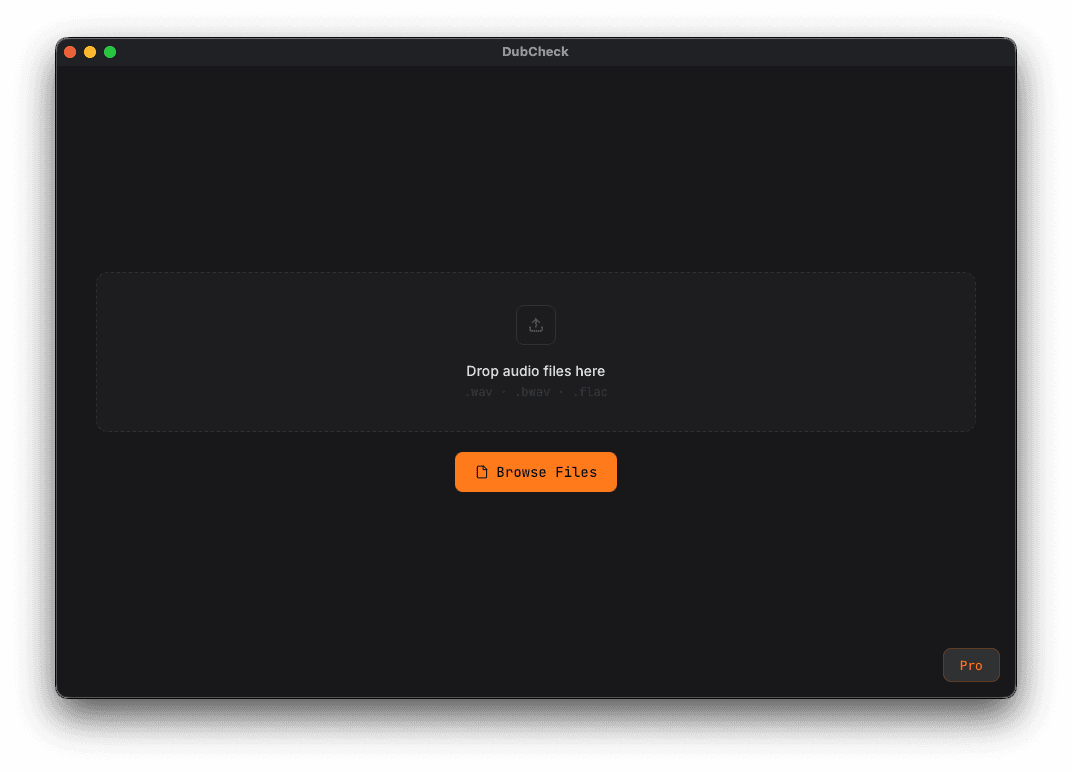
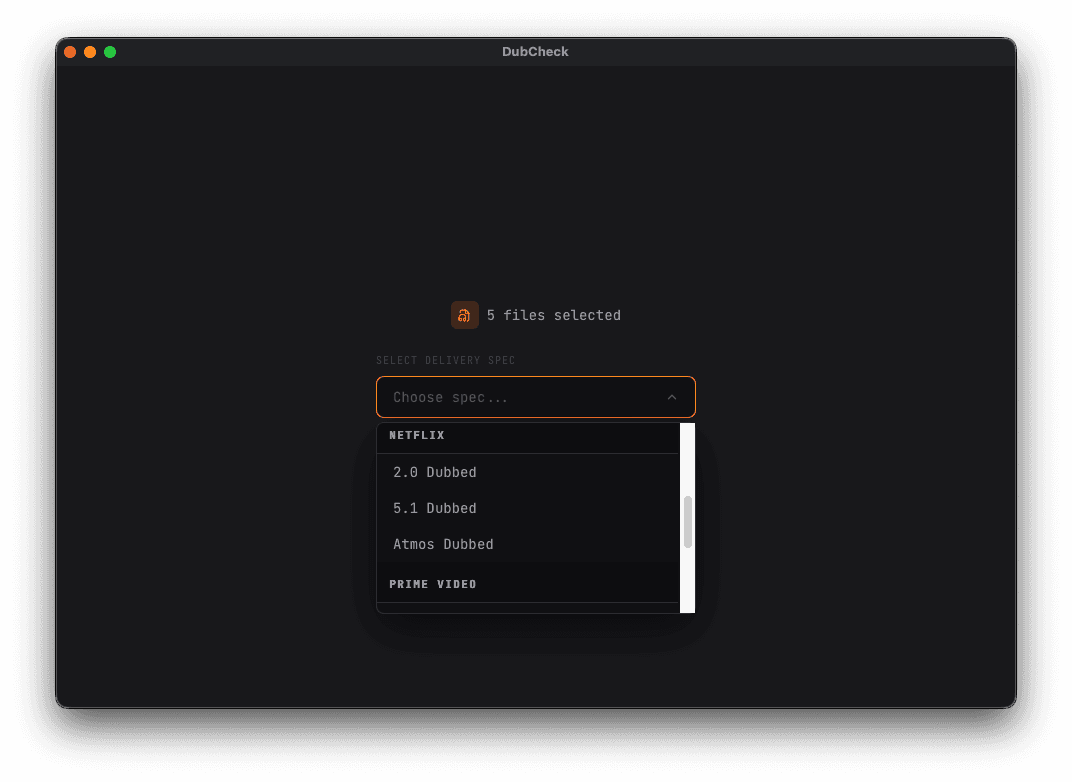
Choose where the file is going: Netflix, EBU R128, ATSC A/85, ACX, and so on. If you are unsure, the next section walks through which spec belongs to which platform.
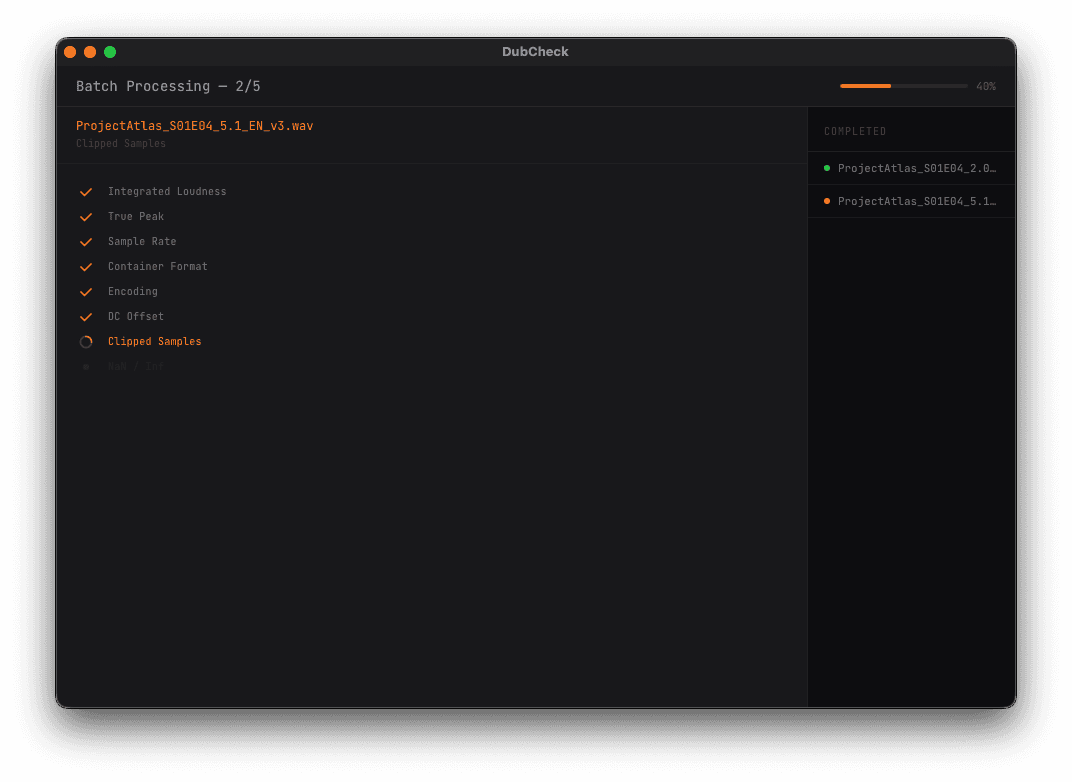
Each file is analysed in turn. Per-check status streams in live, so if a file already fails on one check, you see it before the rest finish.
Pass / warn / fail counts on the left, every file on the right. Click any row for the detail view.
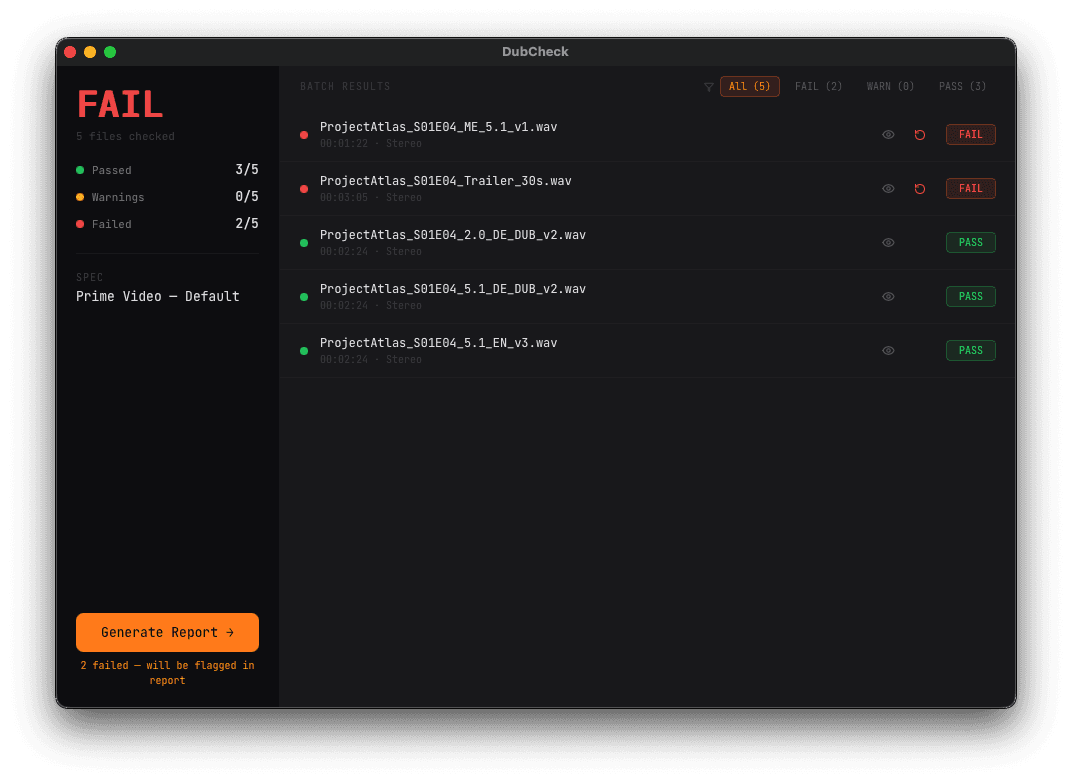
Generate Report at the bottom-left writes a multi-page PDF with file-by-file detail, plots, methodology, and a signed signoff line. That is what you hand off or upload.
Read your report
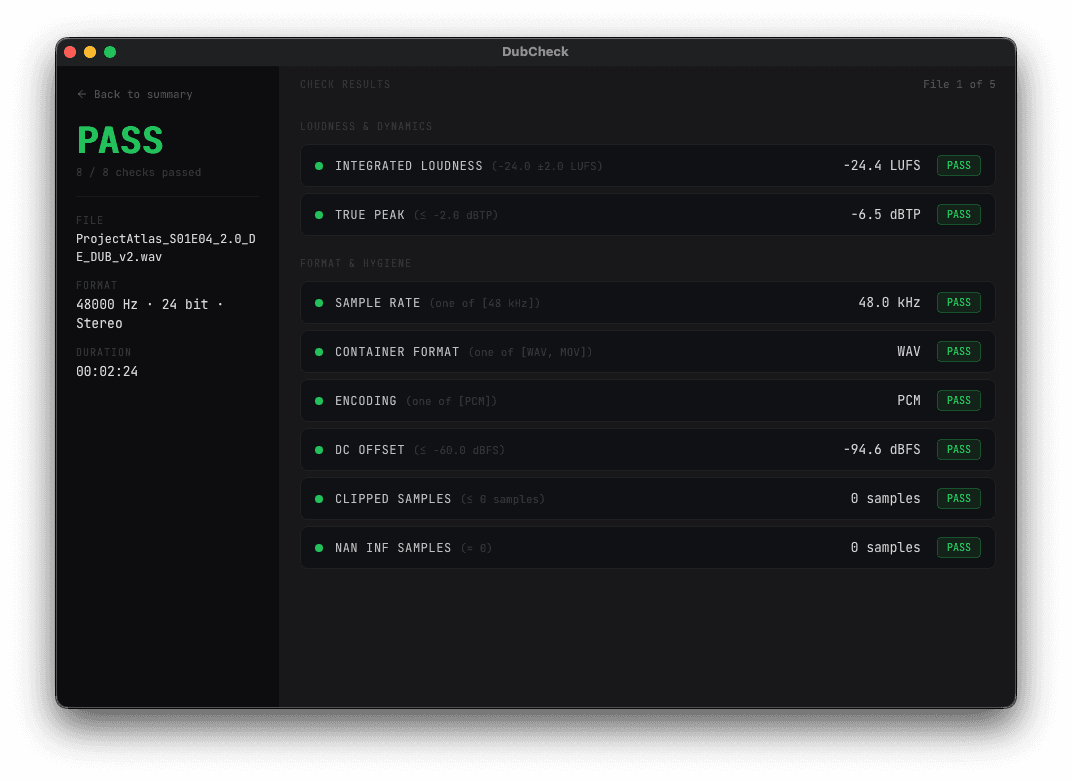
Click any file in the batch summary to land here. One panel per check, green for pass, orange for warn, red for fail. The threshold the spec demands is printed next to each check name, so you do not have to remember it.
What each row means
The single loudness number for the whole programme, measured per ITU-R BS.1770-4. The gating mode depends on the spec: EBU mode for streaming, ungated program loudness for broadcast, dialog-gated for Netflix.
Inter-sample peaks, found by 4× oversampling the signal. Always worse than sample peak. This is the number your downstream encoder cares about. If it is over the spec limit you risk audible clipping after re-encoding.
File hygiene. Most specs want 48 kHz / 24-bit PCM in a WAV container. Bit depth has two numbers: what the file header claims and what is actually carried in the lowest bits. A 24-bit container with only 16 bits of real signal is a 16-bit file in disguise.
Recording-chain problems. DC offset eats headroom from your limiter. Clipped samples mean your converter ran out of bits. NaN or Inf samples mean something further upstream is wrong. If you see these, the file is not safe to deliver.
EBU Tech 3342. How much dynamic range your programme actually uses. Most streamers tolerate a wide range, broadcast wants it tighter.
For Netflix specs, the loudness number is measured only over speech segments (Silero VAD). If your file has less than 15 % dialog, the engine automatically falls back to program loudness. That is the Netflix rule.
Average L/R correlation. Below the threshold means the mix will lose energy or invert when summed to mono. Netflix Section 2.3 cares about this.
Pick the right spec
If your delivery target is not on this list, pick the closest one. They all share the same measurement engine.
| Delivery target | Spec ID |
|---|---|
| Netflix, original-language 5.1 | netflix/5_1_original |
| Netflix, dubbed / Audio Description | netflix/5_1_dubbed, 2_0_dubbed, atmos_dubbed |
| Netflix, M&E | netflix/5_1_me, atmos_me |
| Netflix, Atmos | netflix/atmos_original |
| Netflix, theatrical | netflix/theatrical |
| European broadcast (TV, radio, streaming) | ebu/r128 |
| European broadcast (ads, promos) | ebu/r128_s1_shortform |
| US broadcast (CALM Act) | atsc/a85 |
| Amazon Prime Video | prime_video/default |
| YouTube | youtube/default |
| Spotify | spotify/default |
| Apple Music / Digital Masters | apple_music/default |
| Audible / ACX audiobook | acx/default |
| Storytel audiobook | storytel/default |
| Spotify Audiobooks | spotify_audiobooks/default |
| Podtrac podcast | podtrac/default |
Want to know exactly what a spec checks before you pick it? In the CLI, dubcheck specs show <id> prints every threshold.
The PDF report
One PDF per file, plus a batch summary if you ran more than one. Built to be sent to a client or uploaded to a delivery portal as-is.
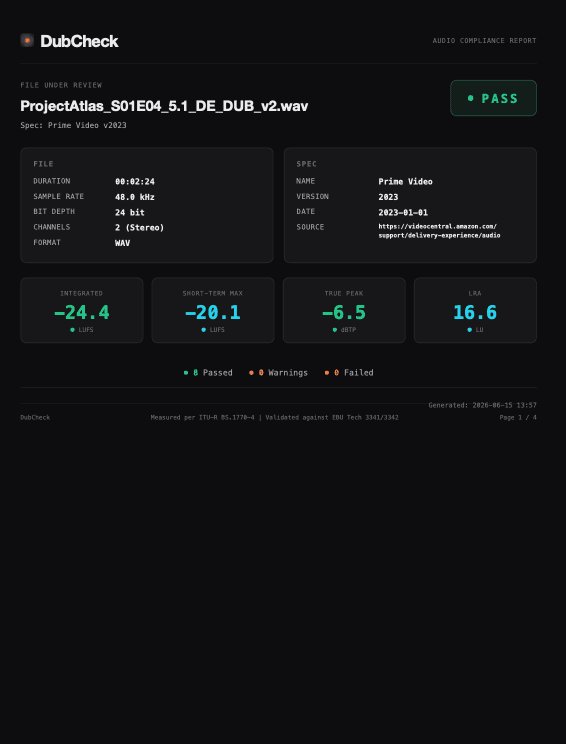
Page 1: Summary
File metadata, spec details, the four headline numbers (integrated loudness, short-term max, true peak, LRA) and the overall PASS / WARN / FAIL.
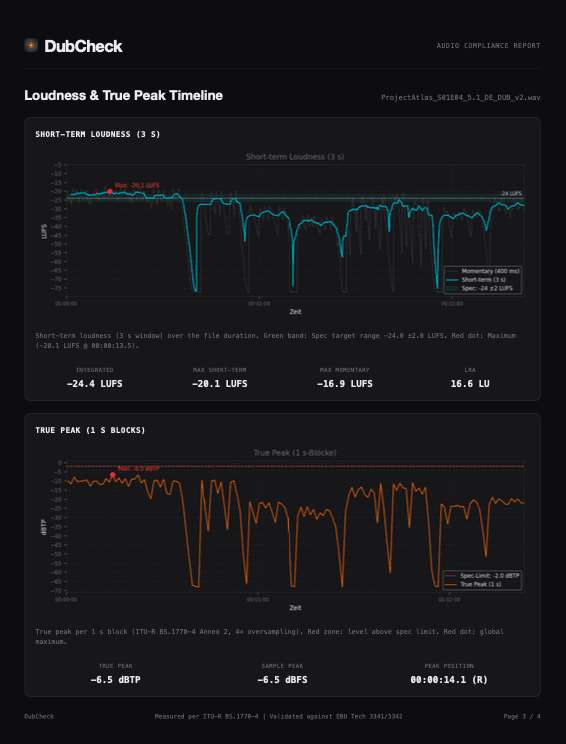
Page 2: Loudness and true-peak timeline
Where the loudness sits over time, with the spec target overlaid. The red dot marks the worst moment.
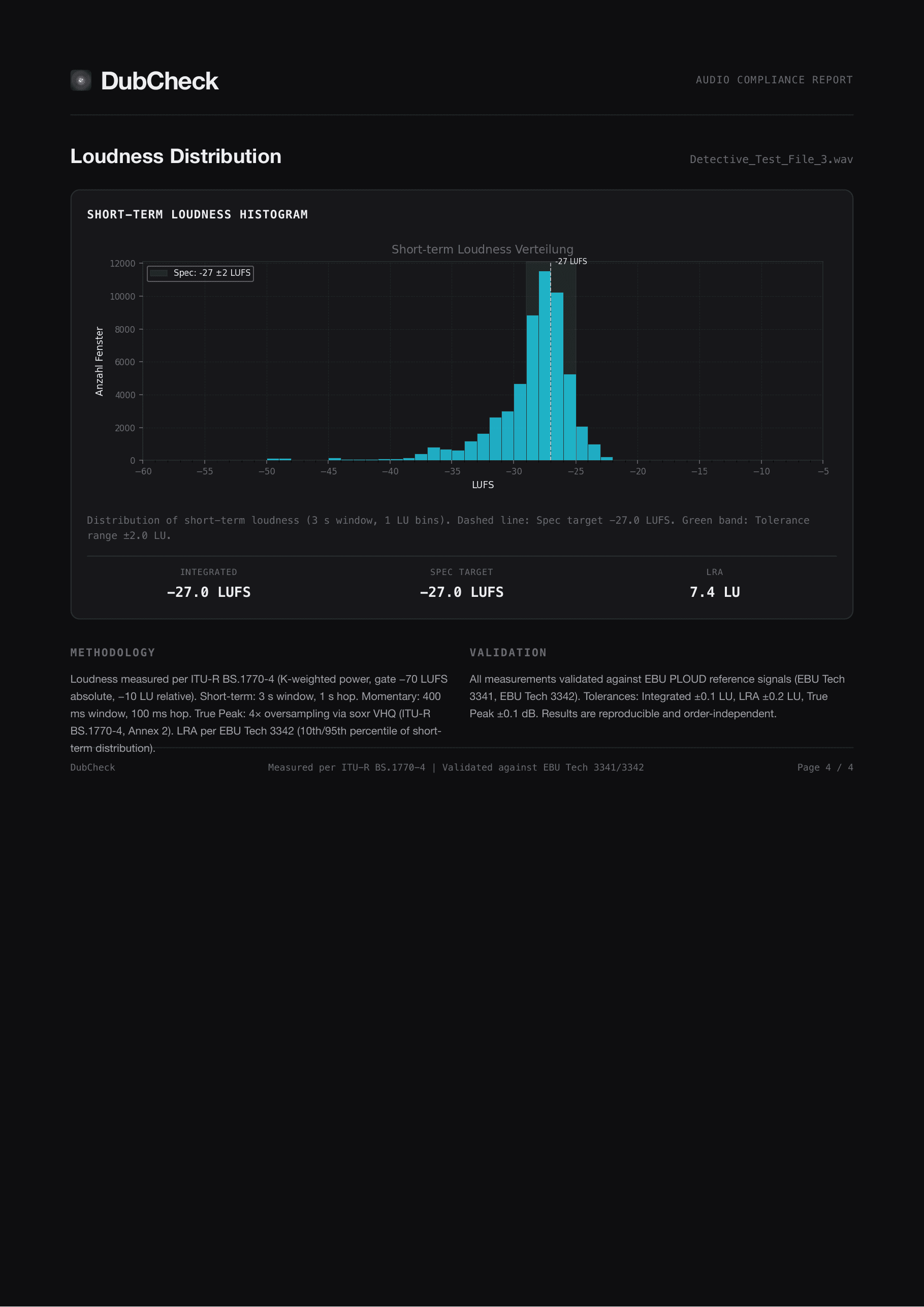
Page 3: Loudness distribution
Short-term histogram. Tells you whether the mix lives in the right loudness band or drifts.
Troubleshooting
+·A file fails on loudness by a small margin (0.5 to 1 LU)
+·True peak fails even though my sample peak is at -1 dBFS
+·My 5.1 file fails on channel order
L C R Ls Rs LFE. Re-export with the SMPTE layout, or use a channel-rearrange utility before delivery.+·Bit depth says "24-bit container, 16-bit effective"
+·DubCheck says my file is not recognized
+·The dialog-gated number shows "fell back to program loudness"
+·The CLI refuses more than one file
FAQ
Which audio files does DubCheck read?+
Why no MP3, AAC, Opus, or M4A?+
What macOS versions are supported?+
Is the app code-signed and notarized?+
Does DubCheck talk to the internet?+
Where do my files go?+
Free vs Batch, what is the difference?+
How does activation work?+
Is there a trial?+
Where is the License screen?+
Talk to us
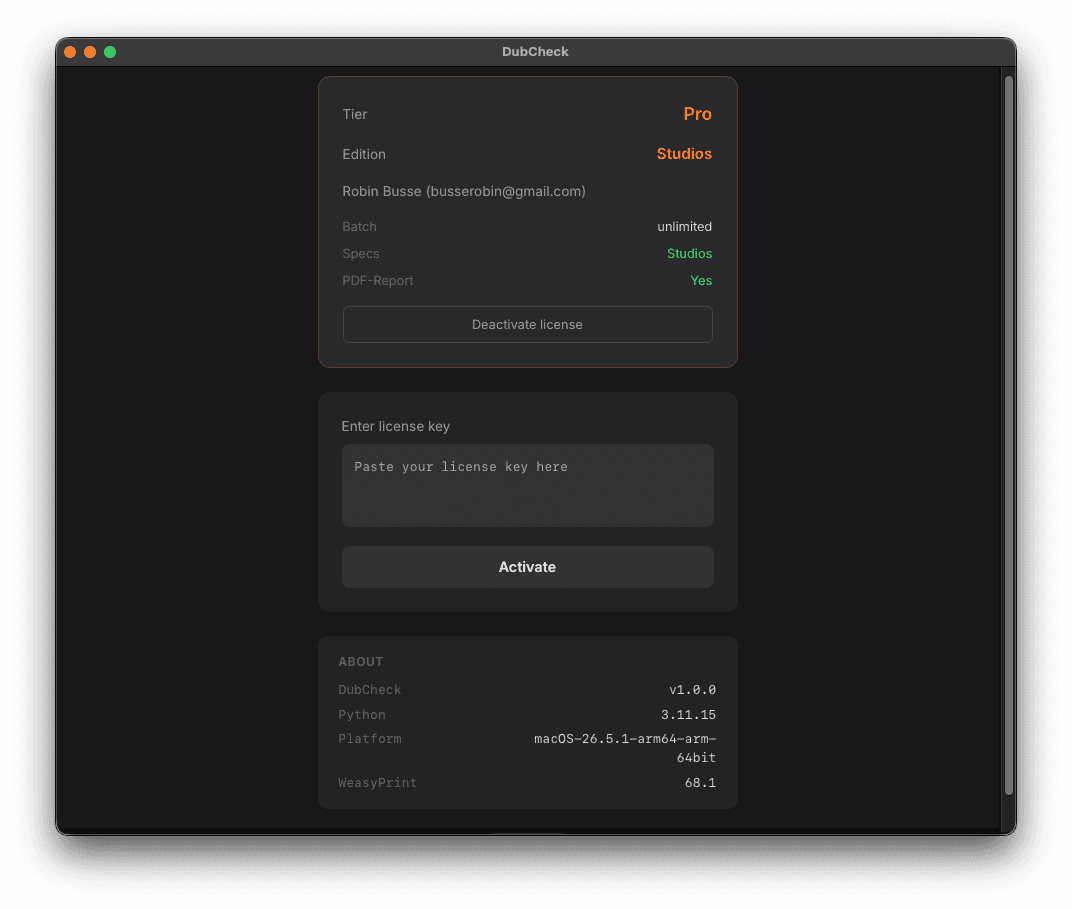
If the troubleshooting did not cover it, file a GitHub issue or email us. Include the macOS version, DubCheck version (License screen, then About), the input file if you can share it, and the PDF report.
Email: info@audio-dubcheck.com